
Usage Workflow
Learn how to configure the Usage workflow from the UI to ingest Query history data from your data sources. This workflow is available ONLY for the following connectors: If your database service is not yet supported, you can use this same workflow by providing a Query Log file! Learn how to do so 👇Usage Workflow through Query Logs
Configure the usage workflow by providing a Query Log file.
UI Configuration
Once the metadata ingestion runs correctly and we are able to explore the service Entities, we can add Query Usage information. This will populate the Queries tab from the Table Entity Page.
Step 1: Add a Usage Agent
- Navigate to Settings > Services and select the service type.
- Click the service you have added.
-
Open the Agents tab and click Add Agent > Usage.

- Give the agent a recognisable name and click Next.
Step 2: Configure the Agent
Configure the core parameters for the Usage agent:
Step 3: Schedule and Deploy
Choose how the usage agent should run: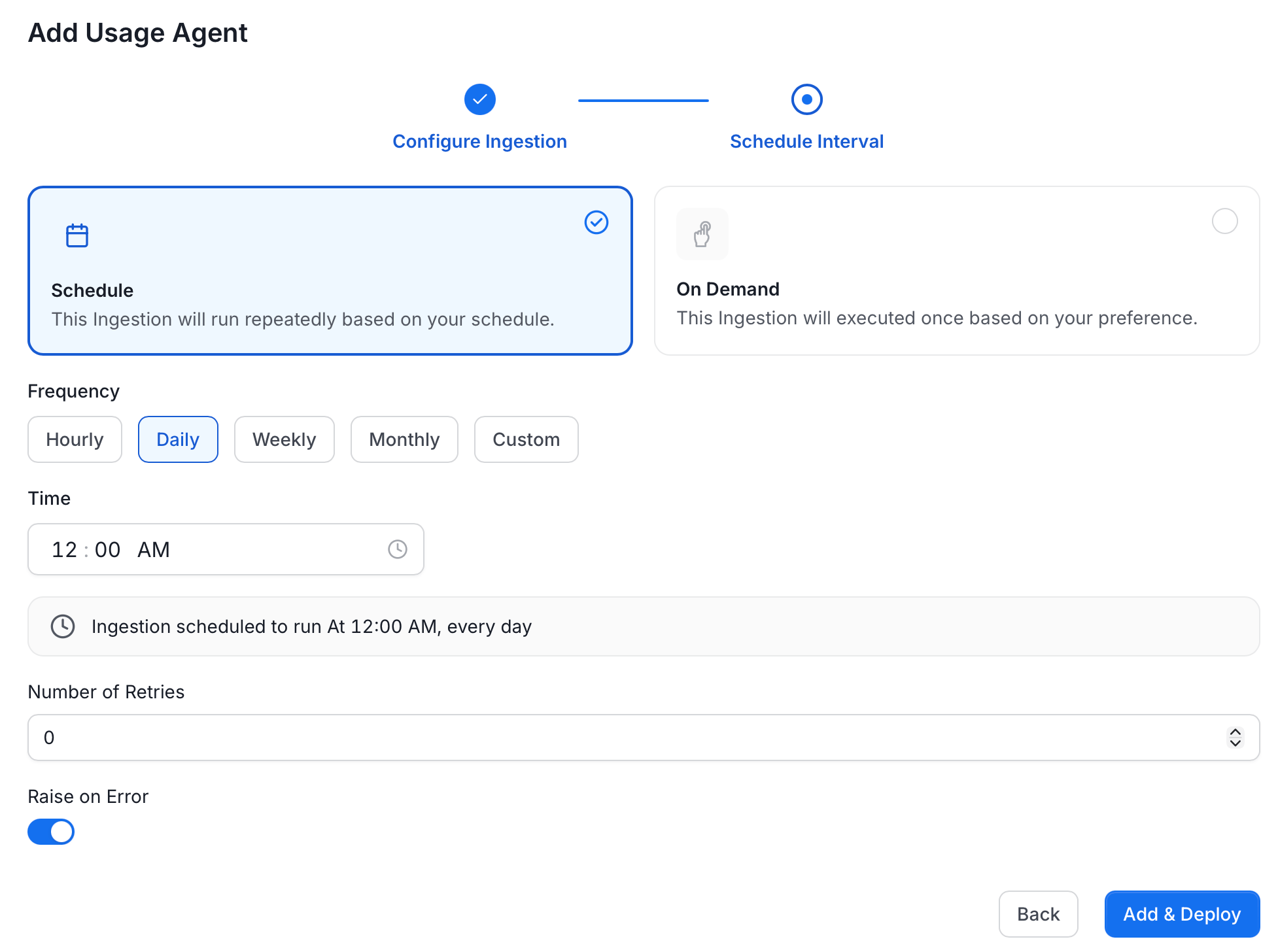
- Schedule: Runs repeatedly based on a defined interval. Set the Frequency (Hourly, Daily, Weekly, Monthly, or Custom) and the Time to run.
- On Demand: Runs once when manually triggered.
- Number of Retries: How many times to retry if the ingestion fails.
- Raise on Error: Toggle on to surface errors immediately rather than silently skipping them.
YAML Configuration
In the connectors section we showcase how to run the metadata ingestion from a JSON/YAML file using the Airflow SDK or the CLI via metadata ingest. Running a usage workflow is also possible using a JSON/YAML configuration file. This is a good option if you wish to execute your workflow via the Airflow SDK or using the CLI; if you use the CLI a usage workflow can be triggered with the commandmetadata usage -c FILENAME.yaml. The serviceConnection config will be specific to your connector (you can find more information in the connectors section), though the sourceConfig for the usage will be similar across all connectors.
Query Usage
The Query Usage workflow will be using thequery-parser processor.
After running a Metadata Ingestion workflow, we can run Query Usage workflow.
While the serviceName will be the same to that was used in Metadata Ingestion, so the ingestion bot can get the serviceConnection details from the server.