> ## Documentation Index
> Fetch the complete documentation index at: https://openmetadata-format-2-0-connector-overview-pages.mintlify.site/llms.txt
> Use this file to discover all available pages before exploring further.

# How to Define Personas in OpenMetadata

# How to Define Personas

## What is a Persona?

In OpenMetadata, a **persona** represents an organization's specific role or function, such as a **data engineer**, **data steward**, or **data scientist**. Personas define how the user interacts with the platform by tailoring the interface and functionality to their role.

**Example**:

* A **data engineer** might focus on pipelines and data quality.
* A **data steward** is more concerned with governance and glossary management.

## Steps to Define a Persona:

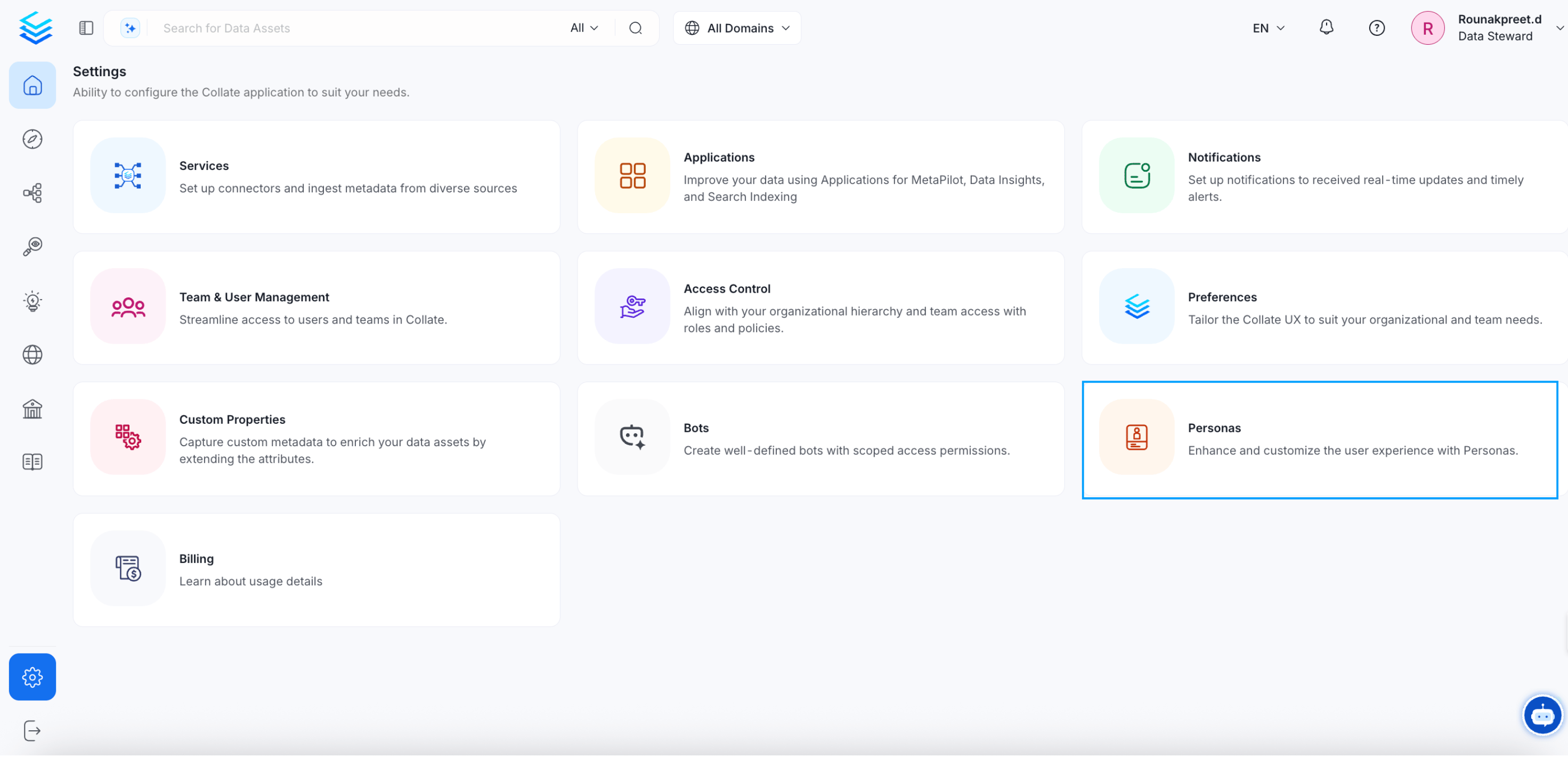
1. As an administrator, navigate to **Settings > Personas** in OpenMetadata.
<img src="https://mintcdn.com/openmetadata-format-2-0-connector-overview-pages/ed-qRayLa52TyWj5/public/images/how-to-guides/admin-guide/persona-1.png?fit=max&auto=format&n=ed-qRayLa52TyWj5&q=85&s=25e3fcd62b81407f75f868fe2a1bd6db" alt="Settings > Personas" data-og-width="2943" width="2943" data-og-height="1424" height="1424" data-path="public/images/how-to-guides/admin-guide/persona-1.png" data-optimize="true" data-opv="3" srcset="https://mintcdn.com/openmetadata-format-2-0-connector-overview-pages/ed-qRayLa52TyWj5/public/images/how-to-guides/admin-guide/persona-1.png?w=280&fit=max&auto=format&n=ed-qRayLa52TyWj5&q=85&s=2e2c8fe5d3d068b9a4c3371e1ab64190 280w, https://mintcdn.com/openmetadata-format-2-0-connector-overview-pages/ed-qRayLa52TyWj5/public/images/how-to-guides/admin-guide/persona-1.png?w=560&fit=max&auto=format&n=ed-qRayLa52TyWj5&q=85&s=f59036e1a6a9859e553a1c31d4f5059b 560w, https://mintcdn.com/openmetadata-format-2-0-connector-overview-pages/ed-qRayLa52TyWj5/public/images/how-to-guides/admin-guide/persona-1.png?w=840&fit=max&auto=format&n=ed-qRayLa52TyWj5&q=85&s=60565ac459d728d41395931aaf50c65a 840w, https://mintcdn.com/openmetadata-format-2-0-connector-overview-pages/ed-qRayLa52TyWj5/public/images/how-to-guides/admin-guide/persona-1.png?w=1100&fit=max&auto=format&n=ed-qRayLa52TyWj5&q=85&s=c3da6e65af3a4f4d16c467a64f40aeed 1100w, https://mintcdn.com/openmetadata-format-2-0-connector-overview-pages/ed-qRayLa52TyWj5/public/images/how-to-guides/admin-guide/persona-1.png?w=1650&fit=max&auto=format&n=ed-qRayLa52TyWj5&q=85&s=d73df6441dceb2f989e76411b257cd13 1650w, https://mintcdn.com/openmetadata-format-2-0-connector-overview-pages/ed-qRayLa52TyWj5/public/images/how-to-guides/admin-guide/persona-1.png?w=2500&fit=max&auto=format&n=ed-qRayLa52TyWj5&q=85&s=70f5b19a437a4af0827b5859fa2d411f 2500w" />

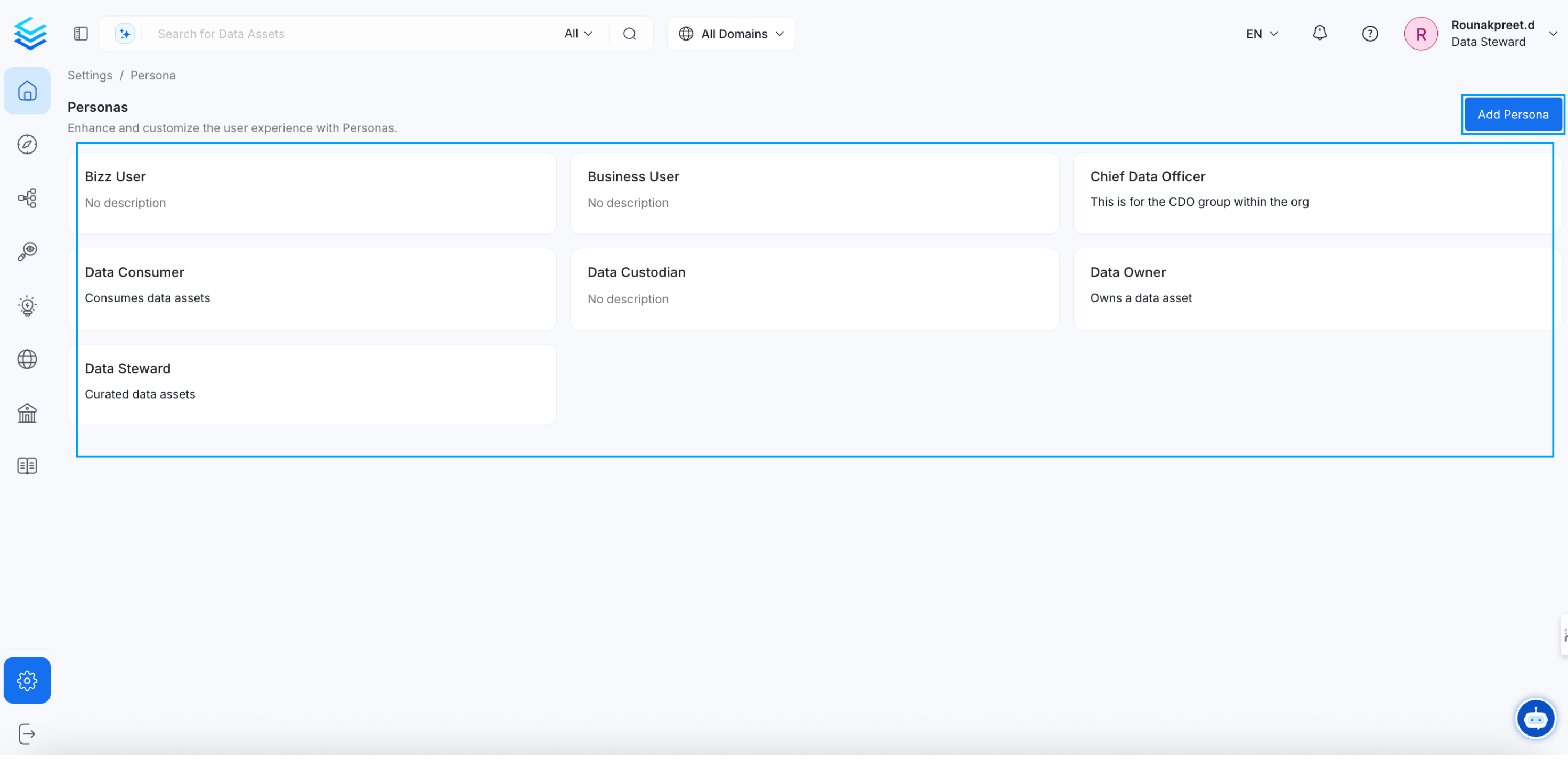
2. **Create a new persona** or modify an existing one.
<img src="https://mintcdn.com/openmetadata-format-2-0-connector-overview-pages/ed-qRayLa52TyWj5/public/images/how-to-guides/admin-guide/persona-3.png?fit=max&auto=format&n=ed-qRayLa52TyWj5&q=85&s=a1234e9c32c47c0c7a034d65a4125f43" alt="create a new persona*" width="2943" height="1424" data-path="public/images/how-to-guides/admin-guide/persona-3.png" />

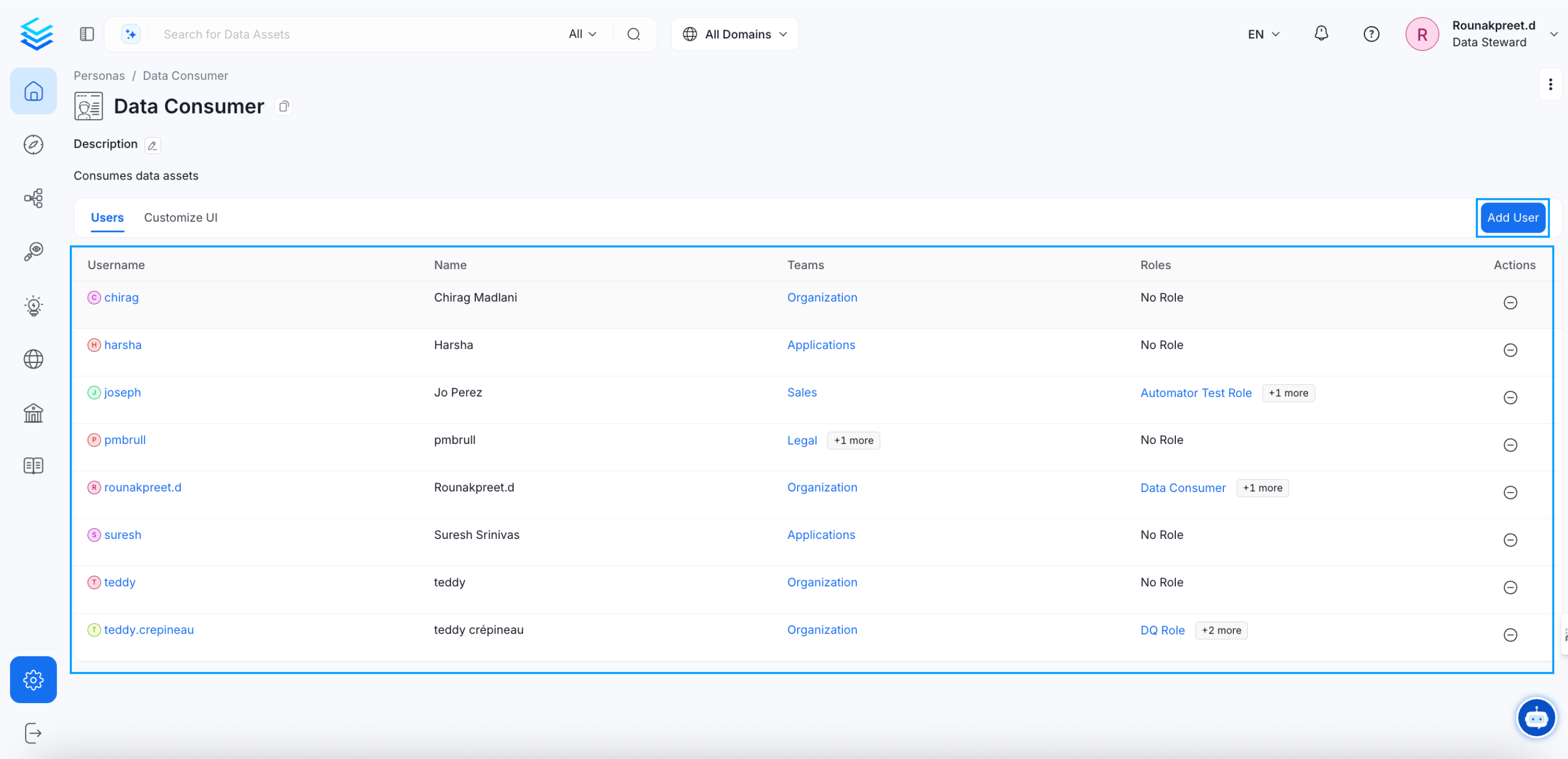
3. **Associate users** with the appropriate persona to customize their experience based on their roles.
<img src="https://mintcdn.com/openmetadata-format-2-0-connector-overview-pages/ed-qRayLa52TyWj5/public/images/how-to-guides/admin-guide/persona-4.png?fit=max&auto=format&n=ed-qRayLa52TyWj5&q=85&s=e543e3db77a6b535d37b81329102c59c" alt="Associate users" width="2943" height="1424" data-path="public/images/how-to-guides/admin-guide/persona-4.png" />
